
Sébastien Rigaux

Tech watch

← All links

Hydration

Activating server-rendered interfaces on the client and maintaining consistency.

A white card on a pale blue background displays “Fixing a Hydration Mismatch Error and UI Flicker in React” and the label “Blog”.

In Next.js, a localStorage value can make server-rendered HTML differ from the first client render. The article compares the trade-offs: waiting until mount avoids the error but leaves the real content out of the SSR HTML; using the same initial value for both renders preserves that content, though a later update can cause flicker.

To synchronize a sidebar without that flash, an inline script applies its saved state to the DOM before hydration and passes it to React, which uses the same classes. The article also distinguishes an isolated theme control from a mobile backdrop handled with CSS.

Giorgi MoniavaFound via React Digest

React combines <form action>, useActionState, and useOptimistic to handle pending feedback and optimistic updates while keeping form submission available before JavaScript runs. The article shows how this continuity can enhance the interface after hydration without giving up the browser’s native form behavior.

The key is to keep the server action directly in action: inserting a client function breaks submission without JavaScript. For optimistic updates, useHydrated() lets the form choose between the server action and its client-enhanced version.

Found via React Status

Visual for the Vinext 1.4 post, showing its title, a summary of the changes, and the October 28, 2026 date.

Vinext 1.4 reduces work across several rendering stages: App Router layouts run once per request, prefetching dynamic routes no longer renders the entire page, and the chunks needed for hydration can compile in the background in recent Chrome. On the Hacker News benchmark, the author reports 31.1 ms of CPU per request, versus 54.4 ms in 1.3 and 33.7 ms for Next.js.

The release also keeps cached HTML and RSC payload generation in sync. Results still depend on the workload: on a content-site prototype, Next.js paints sooner and uses less CPU per request. A TanStack Redact test shows another trade-off: less JavaScript to download, but substantially more expensive hydration on content-heavy pages.

James AndersonFound via This week in React

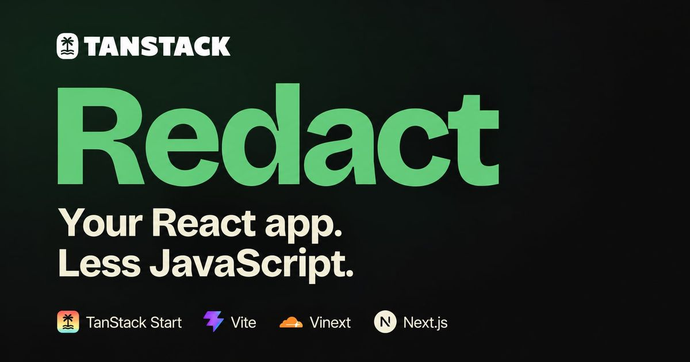
TanStack Redact graphic reading “Your React app. Less JavaScript.” with logos for TanStack Start, Vite, Vinext, and Next.js.

TanStack Redact 0.2.0 replaces React and React DOM in the browser without changing application code. Its stable integrations support TanStack Start, Vite, Vinext, and Next.js; with the latter two, React still handles server rendering while Redact takes over hydration and client rendering.

TanStack’s measurements show bundle reductions from 20.4% to 70.5% across its reference apps, but actual savings vary by project. The tradeoff is explicit: Redact renders synchronously, without React’s time slicing or interruptible rendering. A heavy render can therefore delay input, so compatibility and the busiest screens should be checked in each application.

Tanner LinsleyFound via This week in React

White banner with the black text “Next Themes” and GitHub and sponsor icons.

next-themes applies the theme as the page loads, respects the system preference, and syncs the choice across tabs. Its ThemeProvider works with both the App Router and pages/, while a hook lets components switch themes or handle multiple variants.

One architectural detail matters: the browser-stored theme is unavailable during server rendering. UI that depends on useTheme should wait until the client component mounts to avoid hydration errors. The library also updates the <html> attribute—suppressHydrationWarning is recommended—and remains independent of the CSS solution in use.

Illustration for the certificates.dev article on React browser() API

React Canary introduces the browser() API to render a component exclusively in the browser, avoiding hydration mismatches and extra mounted-state logic. The article demonstrates how to use use(browser()) inside a client component, wrapped in Suspense, to defer rendering until browser APIs are available. Several concrete examples show how this approach enables access to localStorage, the DOM, or user-specific data, without the usual workarounds like useEffect or environment checks.

Aurora Scharff