Sébastien Rigaux

Tech watch

← All links

CSS

Layout, responsive styling and native presentation features of the Web.

MicroKit UI graphic on a black background, showing the text “Microinteractions worth copying” beside concentric orange rounded squares.

MicroKit collects copy-ready interactions—animated buttons, tabs, inputs and hover effects—with React or CSS and Tailwind variants. Each component is copied separately in JavaScript or TypeScript, with no package to install; 26 of the 54 have no dependencies, while 28 use lucide-react.

The code is MIT-licensed, and Tailwind variants are designed for versions 3 and 4. In the Next.js App Router, most components work in server components; those using state, refs or event handlers need « use client ».

Henrique BaroneFound via Frontend Focus

Fontastic Space graphic on a dark background, showing an F icon and the subtitle “Anatomy, metrics & compatibility — find mathematically optimal font pairings”.

Fontastic Space compares Google Fonts side by side, with anatomy overlays, OpenType metrics, and compatibility scores. Its Playfair Display + DM Sans example compares x-height, cap height, and string width, then provides CSS rules ready to reuse.

The scores draw on several typographic analysis frameworks, but remain a guide: the tool also lets you inspect the visual result in a paragraph or banner before choosing a pairing.

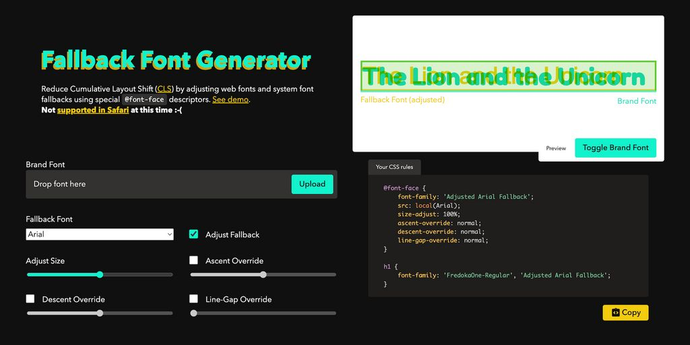
Screenshot of the Fallback Font Generator showing a comparison between an adjusted fallback font and a brand font, alongside generated CSS rules.

This tool adjusts a system font to more closely match a brand font while it loads. It generates the required @font-face rules—including size-adjust, ascent-override, descent-override, and line-gap-override—using a visual preview and adjustable controls.

The approach targets layout shifts caused by differences in font metrics. The resulting CSS can be copied into a project, though the page notes that the tool is not supported in Safari.

@screenspan

Image reading “My top picks from Interop 2027,” with a character at the center, in front of colored curves and browser icons.

Josh W. Comeau reviews ten proposals being considered for Interop 2027: CSS functions, custom border shapes, anchor- and scroll-related queries, reading order, intrinsic-size animations, and grid decorations. Several address practical problems: reading-flow could align keyboard navigation with a responsive layout, while grid decorations could draw separators without adding empty DOM cells.

The proposals are at different stages of maturity. As of October 2026, several are available in Chromium but not yet in Firefox or Safari; inherit() is implemented in no browser. The article shows where progressive enhancement is feasible, with safeguards such as @supports for height transitions.

Josh W. Comeau

Header for the article “Embracing Playful Imperfection With The CSS random() Function,” by Brecht De Ruyte, with a red Smashing Magazine cat illustration.

The CSS random() function adds visual variation in the browser, without JavaScript or Sass loops. Brecht De Ruyte demonstrates it with subtly tilted letters, cards animated on scroll, and shadows that respond to card rotation. A caching key can keep multiple properties in sync, while sibling-index() calculates the structure of a fanned-out card stack.

These effects are best suited to decorative elements: the article advises against randomizing grids, body text, or interactive targets. With browser support still rolling out, it recommends a stable baseline enhanced through @supports, and stresses respecting prefers-reduced-motion and screen-reader access.

https://www.smashingmagazine.com/author/brecht-de-ruyte/Found via Frontend Focus
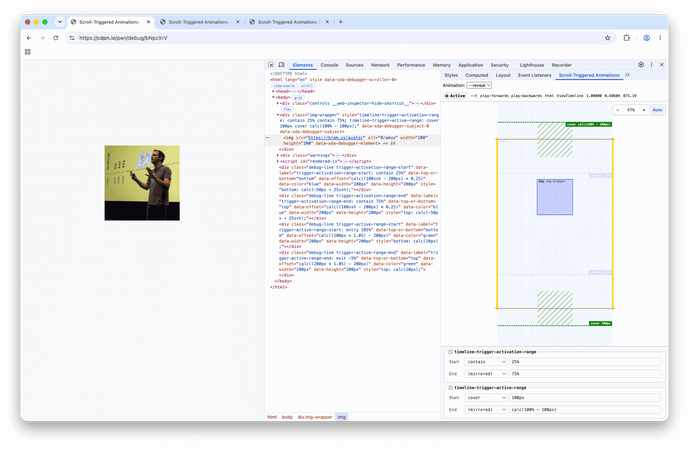
Screenshot of Chrome DevTools showing the extension panel, its minimap, activation and active ranges, and their editing fields.

This Chrome DevTools extension makes CSS animations triggered by scrolling easier to debug: a minimap locates the scroller, element, and subject, while colored markers show activation and active ranges. Values can be edited live; the tool supports ScrollTimeline, ViewTimeline, and elements using position: sticky.

Two limitations come from Chrome: relative units such as 90vh are reduced to computed pixel values, and elements inside an iframe are not supported. The extension fills a gap in DevTools while built-in support remains a possible future improvement.

@bramusFound via Frontend Focus

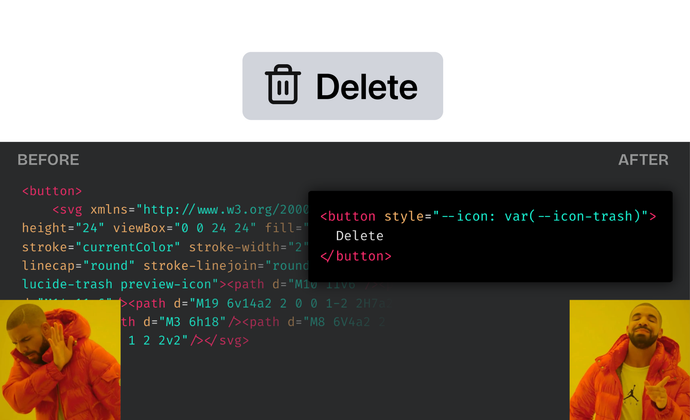
Illustration of a button with a trash icon alongside SVG and CSS code snippets.

Lea Verou proposes treating icons as CSS design tokens: custom properties assign them to pseudo-elements, where SVG masks render them without adding markup. Components can then select or override an icon based on state, theme, or context, while keeping definitions centralized in the design system.

There are trade-offs: masking mainly suits monochrome icons, URLs and registered properties behave inconsistently across browsers, and Safari needs workarounds. The post explains these constraints and introduces @nudeui/icons, a package that brings the system together.

Lea VerouFound via Frontend Focus

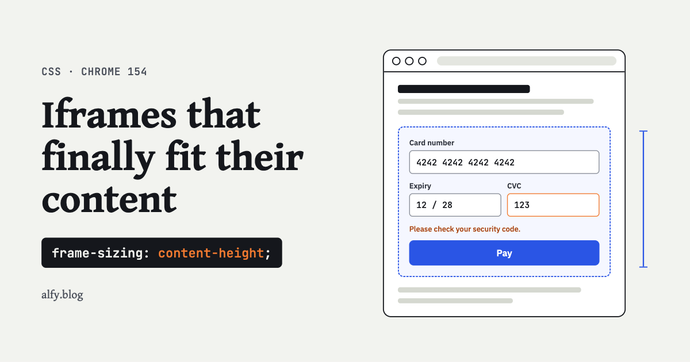
Article illustration: auto-sizing iframes in Chrome with CSS

Chrome 154 introduces the frame-sizing: content-height CSS property, letting iframes automatically match their content’s height without scripts or message passing. This requires the embedded page to opt in with a meta tag and explicitly allow the parent domain, so adoption depends on both sides cooperating. The article details practical use cases (payments, widgets, dynamic forms), compatibility constraints, and best practices to avoid information leaks or layout shifts.

Ahmad Elalfy