Sébastien Rigaux

Tech watch

← All links

Accessibility

Interfaces usable with keyboards, assistive technology and diverse sensory or motor needs.

A green cover showing the title “Accessibility for Everyone,” Laura Kalbag’s name, and the words “Read for free.”

Laura Kalbag has made Accessibility for Everyone free to read on the web. First published by A Book Apart in 2017, the book is now available to the web community as a resource for learning about accessibility.

Kalbag notes that accessibility best practices have changed little, while some recommended tools and job titles may be outdated; the Web Content Accessibility Guidelines are also approaching version 3.

Laura KalbagFound via Frontend Focus

Image for the GoogleChrome/modern-web-guidance repository, showing the Chrome logo and contributor, issue, star, and fork counts.

Modern Web Guidance gives coding agents expert guidance on browser APIs, CSS, performance, and accessibility, steering them toward native solutions instead of legacy patterns. The repository brings together 232 features and 186 use cases as skills installable in multiple agents.

Its CLI searches locally for a guide and adds it to the agent’s context. The guidance incorporates Baseline compatibility data, targeted fallbacks, and automated evaluation; the project is marked as a preview release.

Found via Frontend Focus

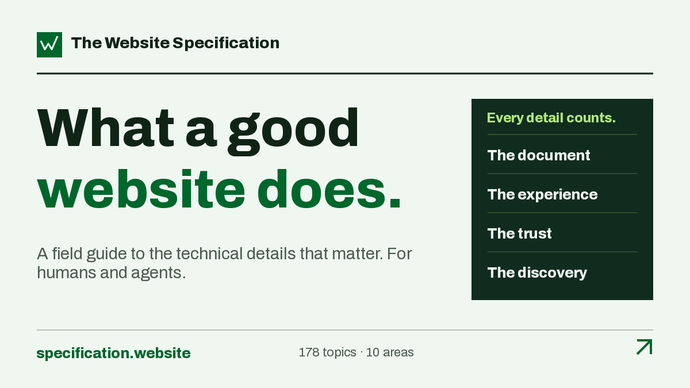
Screenshot of The Website Specification, headed “What a good website does,” with four areas: the document, the experience, trust and discovery.

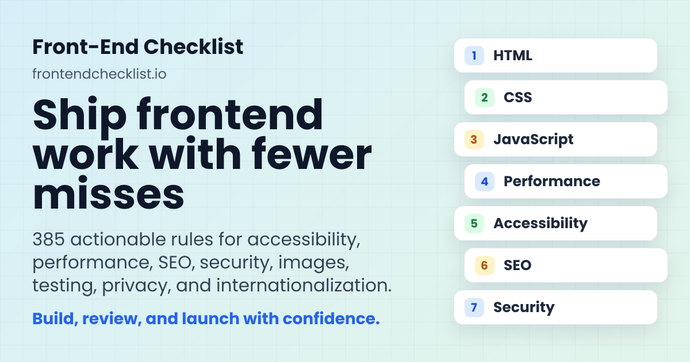
This specification brings together 178 topics covering a website’s technical responsibilities, including HTML, accessibility, security, performance, SEO, privacy and resilience. Each topic explains why it matters and how to implement it, with items marked as required, recommended, optional or to avoid.

A yes/no checklist turns those criteria into an audit that teams can revisit after fixes. Grounded in primary sources and platform-agnostic, the specification is also available to agents through a read-only MCP server, with no authentication required for its reference tools.

@jdevalk

Image reading “My top picks from Interop 2027,” with a character at the center, in front of colored curves and browser icons.

Josh W. Comeau reviews ten proposals being considered for Interop 2027: CSS functions, custom border shapes, anchor- and scroll-related queries, reading order, intrinsic-size animations, and grid decorations. Several address practical problems: reading-flow could align keyboard navigation with a responsive layout, while grid decorations could draw separators without adding empty DOM cells.

The proposals are at different stages of maturity. As of October 2026, several are available in Chromium but not yet in Firefox or Safari; inherit() is implemented in no browser. The article shows where progressive enhancement is feasible, with safeguards such as @supports for height transitions.

Josh W. Comeau

Header for the article “Embracing Playful Imperfection With The CSS random() Function,” by Brecht De Ruyte, with a red Smashing Magazine cat illustration.

The CSS random() function adds visual variation in the browser, without JavaScript or Sass loops. Brecht De Ruyte demonstrates it with subtly tilted letters, cards animated on scroll, and shadows that respond to card rotation. A caching key can keep multiple properties in sync, while sibling-index() calculates the structure of a fanned-out card stack.

These effects are best suited to decorative elements: the article advises against randomizing grids, body text, or interactive targets. With browser support still rolling out, it recommends a stable baseline enhanced through @supports, and stresses respecting prefers-reduced-motion and screen-reader access.

https://www.smashingmagazine.com/author/brecht-de-ruyte/Found via Frontend Focus

A black-and-white crowd behind the pour logo and the slogan “Make the web work for everyone”.

Pour brings together a browser extension, a CLI, a VS Code extension and a contrast checker to assess accessibility against WCAG 2.2. Audits identify affected elements and explain fixes; criteria that require human judgment are marked for review.

The CLI can fail a CI step when it finds issues, generate an HTML report for a site, and expose tools to an agent through MCP. Automated checks assist with 51 of the 86 WCAG 2.2 criteria without claiming to determine compliance: a checklist accompanies the findings to support manual review.

Found via Frontend Focus